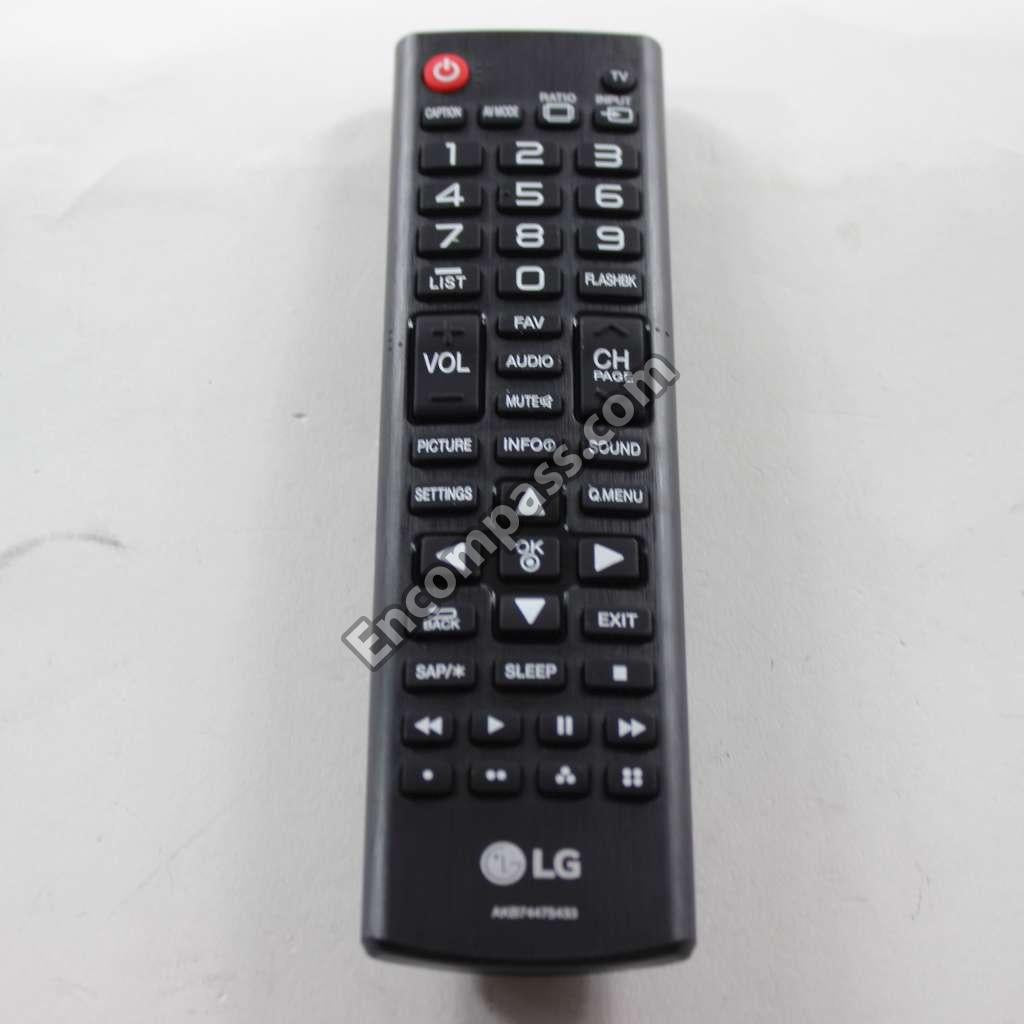
LG Television Outsourcing Remote Controller - COV33652901
LG TV Remote Control
Find genuine LG TV remote controls for compatible LG televisions at LGParts.com. Shop replacement remotes for LG TVs, including standard television remote controllers and compatible Magic...
Read More
Find genuine LG TV remote controls for compatible LG televisions at LGParts.com. Shop replacement remotes for LG TVs, including standard television remote controllers and compatible Magic Smart TV remotes. Whether your original remote is lost, damaged, unresponsive, or needs replacement, start with your LG TV model number or the part number printed on the original remote. Browse the LG TV remote controls below to find a compatible replacement for your television.
The LG Television Outsourcing Remote Controller - COV33652901 is the correct replacement for the following model numbers.
Does this part fit my model?
Does this part fit my model?
No, This Part Does Not Fits in This Model
share :
Hurry, only parts left in stock
Keep in touch with us
Product Information
Enhance your television viewing experience with the LG COV33652901 Remote Controller, a perfectly crafted accessory designed for effortless navigation. This remote combines functionality and comfort, making it an essential tool for anyone looking to effortlessly control their LG television. Its sleek design fits well in your hand, featuring clearly labeled buttons for ease of use. The intuitive layout allows for quick access to essential functions, transforming the way you interact with your television. Ideal for viewers of all ages, this remote can easily handle various commands without a steep learning curve. With a reliable range, you can enjoy seamless control from almost anywhere in the room. Upgrade your home entertainment setup with this sophisticated remote that is compatible with a variety of LG TVs, ensuring you get the most out of your favorite shows and movies.
The LG Television Outsourcing Remote Controller - COV33652901 is the correct replacement for the following model numbers.
Enhance your television viewing experience with the LG COV33652901 Remote Controller, a perfectly crafted accessory designed for effortless navigation. This remote combines functionality and comfort, making it an essential tool for anyone looking to effortlessly control their LG television. Its sleek design fits well in your hand, featuring clearly labeled buttons for ease of use. The intuitive layout allows for quick access to essential functions, transforming the way you interact with your television. Ideal for viewers of all ages, this remote can easily handle various commands without a steep learning curve. With a reliable range, you can enjoy seamless control from almost anywhere in the room. Upgrade your home entertainment setup with this sophisticated remote that is compatible with a variety of LG TVs, ensuring you get the most out of your favorite shows and movies.